 HeyBob
Hire the AI employee who never needs a recap.
Bob does the busywork across 3,200+ apps: reports, follow-ups, inbox, updates. And he sits in on your calls, with no bot joining, so he already knows what needs doing next. You see what every job cost, and he stops at the limit you set.
$100 of work, on us. No sales call. 14 days to spend it.
Two ways in: add Bob to your Slack workspace, or use the HeyBob app for Mac, Windows and Linux. Same Bob either way.
- Spending limit on every plan
- Cost shown under every job
- Free redo if he gets it wrong
- Cancel anytime
Better than the AI employee you're looking at.
Plenty of tools now call themselves an AI employee. Here's what you get with Bob that you usually don't.
A meeting app
Others read notes from a different tool. Bob takes them himself.
A receipt with the cost
See what each job cost, right next to the work.
A hard monthly limit
He warns you near it and stops at it. Not just on enterprise plans.
Redone free
Job wrong because of Bob? He does it again on us.
His own app, or Slack
Not on Slack? The HeyBob app on Mac and Windows works on its own.
About 25% cheaper
Compared with the best-known AI employee, at list price.
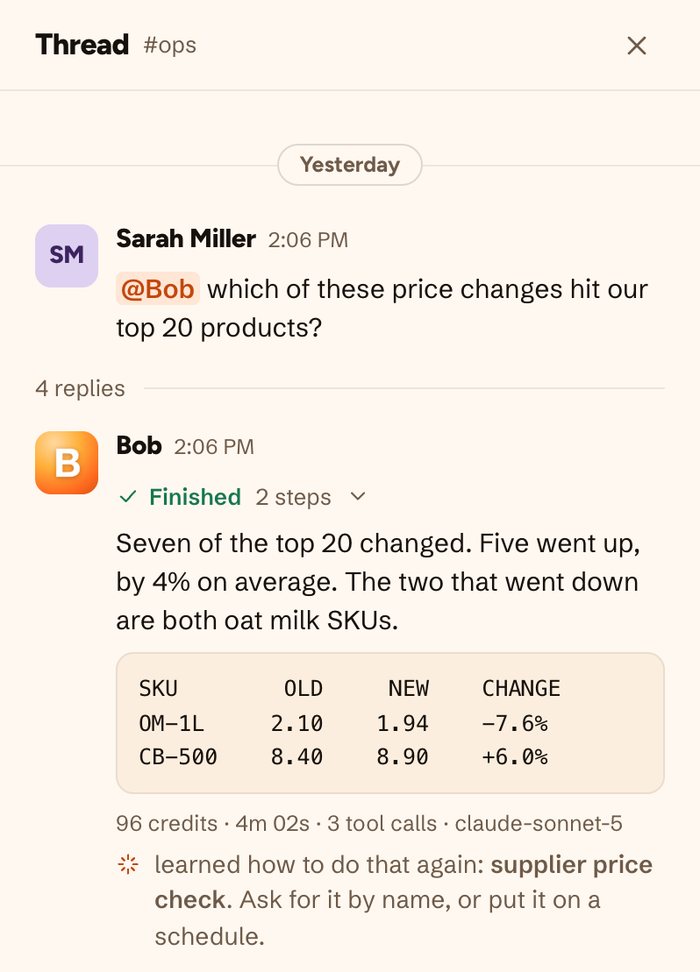
The receipt. Every answer shows what it cost.
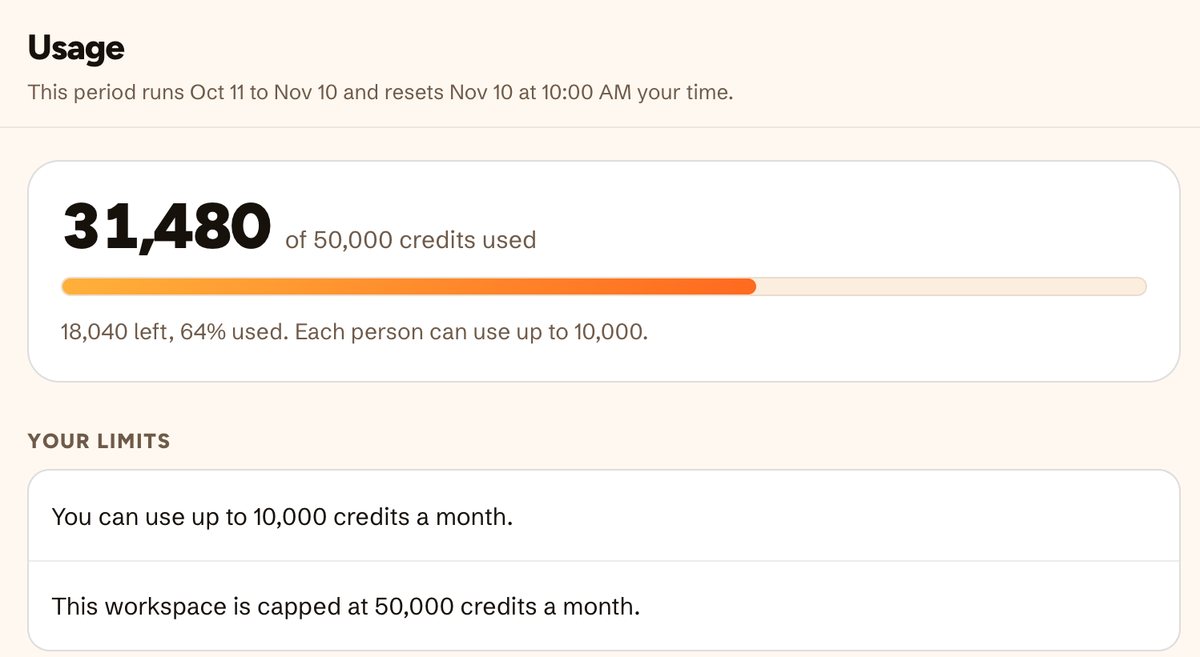
The limit. One cap for the team, one per person. He stops there.
Two products. One Bob.
Use either one on its own. Use them together and Bob gets a lot smarter about what you need.
He does the busywork.
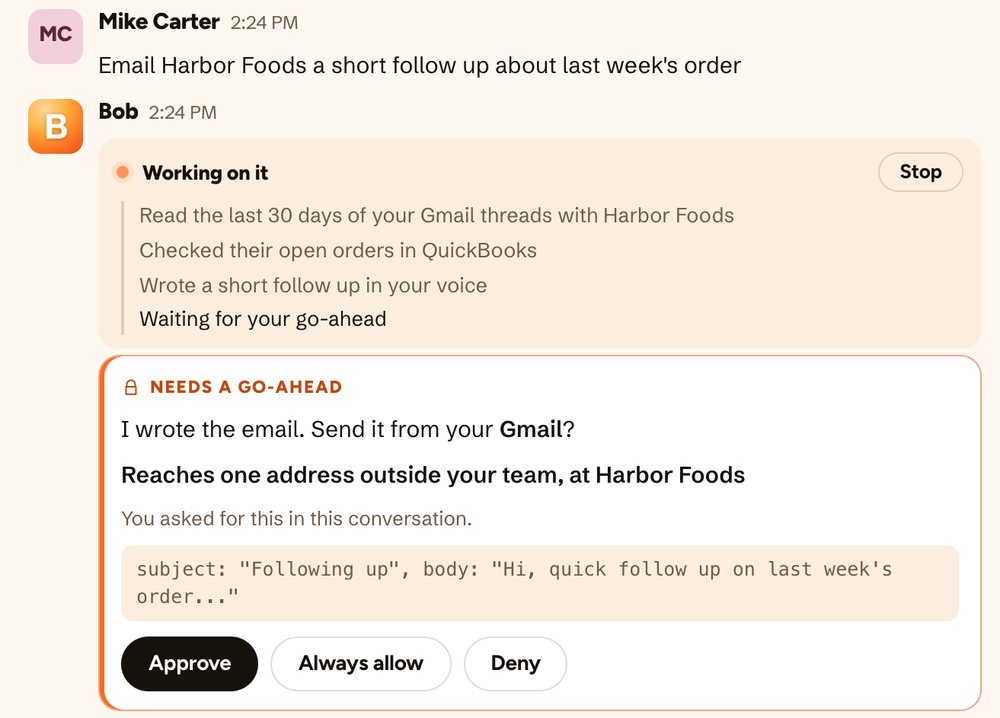
Ask in plain words, in the app or in Slack. He does it in your tools and brings back the finished job.
- Works across 3,200+ apps
- Reports, follow-ups, inbox, updates, research
- Repeats jobs on a schedule you describe
- Asks before he changes anything
He takes the notes.
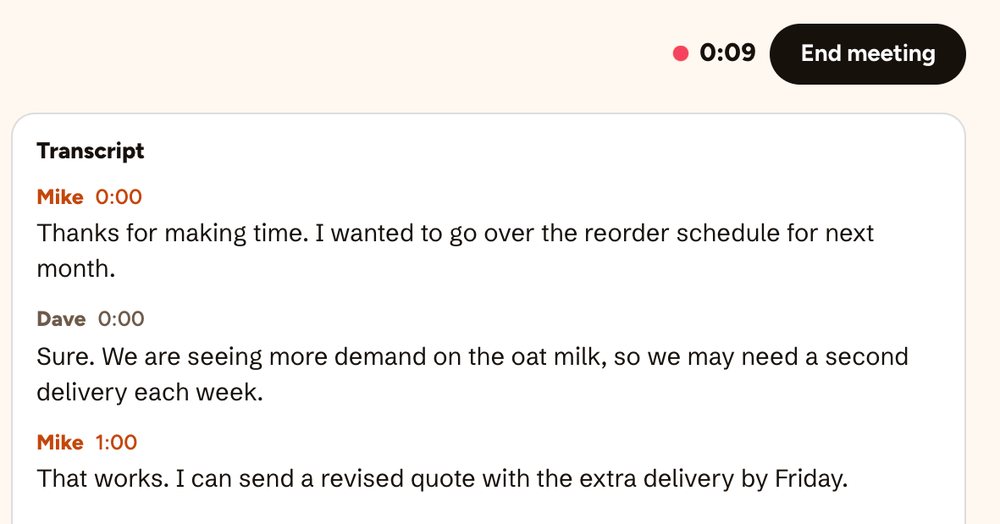
Hit record on any call. Nobody sees a bot. When it ends, you get clean notes and your to-dos.
- Zoom, Google Meet and Slack huddles
- In-person meetings too
- Search every past meeting
- Audio isn't kept, never used for training
Where the two meet, the work gets done.
Other note-takers stop at a summary. Other AI employees weren't on the call. Bob was both.
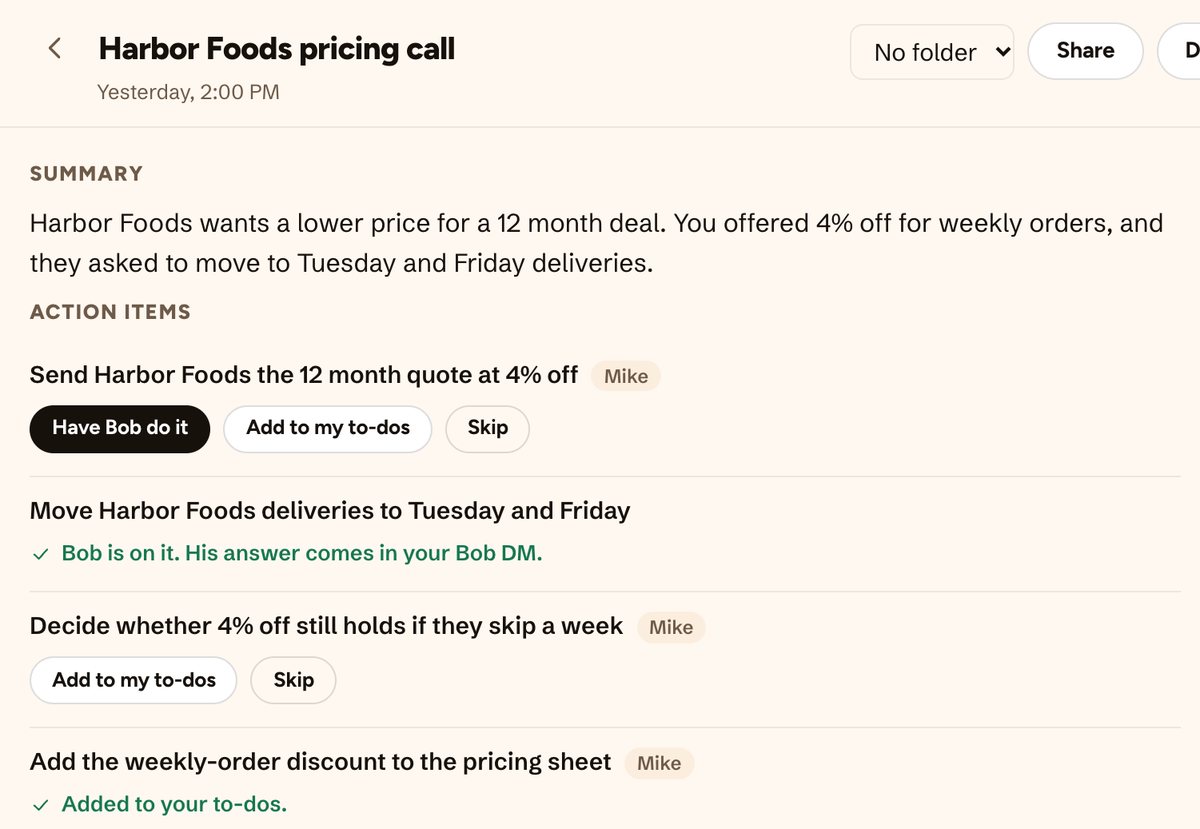
You promise a quote
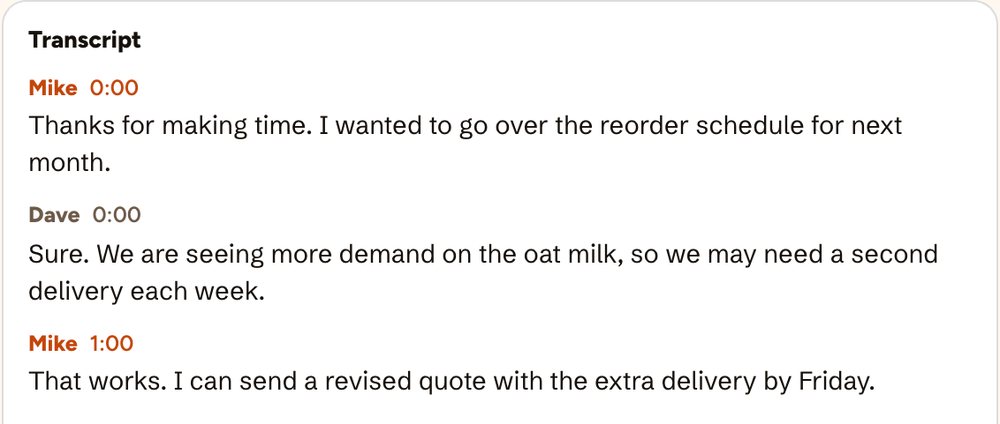
"I can send a revised quote by Friday."
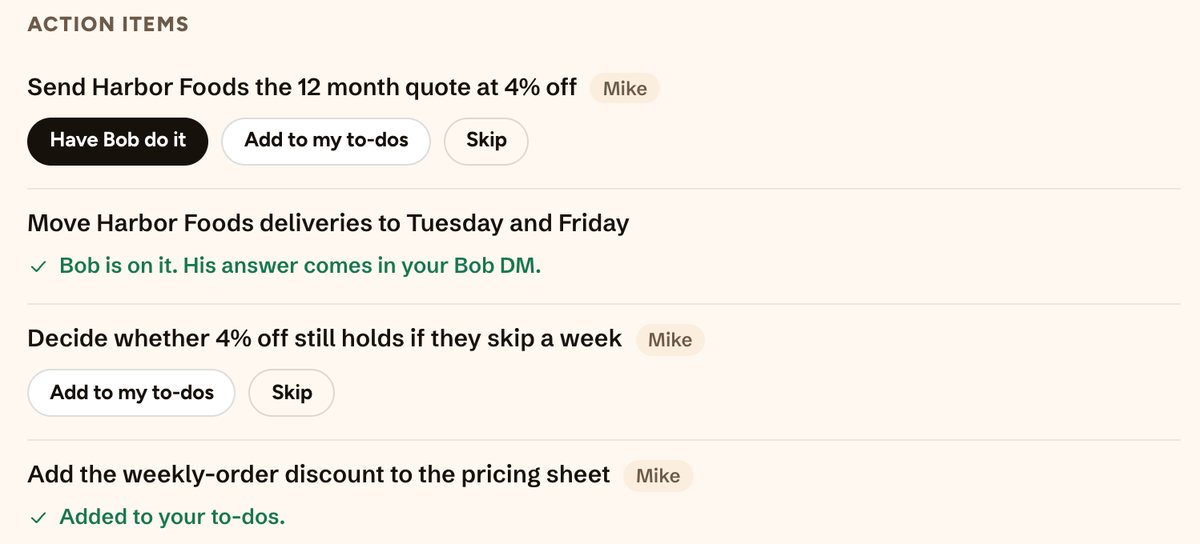
Bob lists your to-dos
Just yours, with "Have Bob do it" on each.
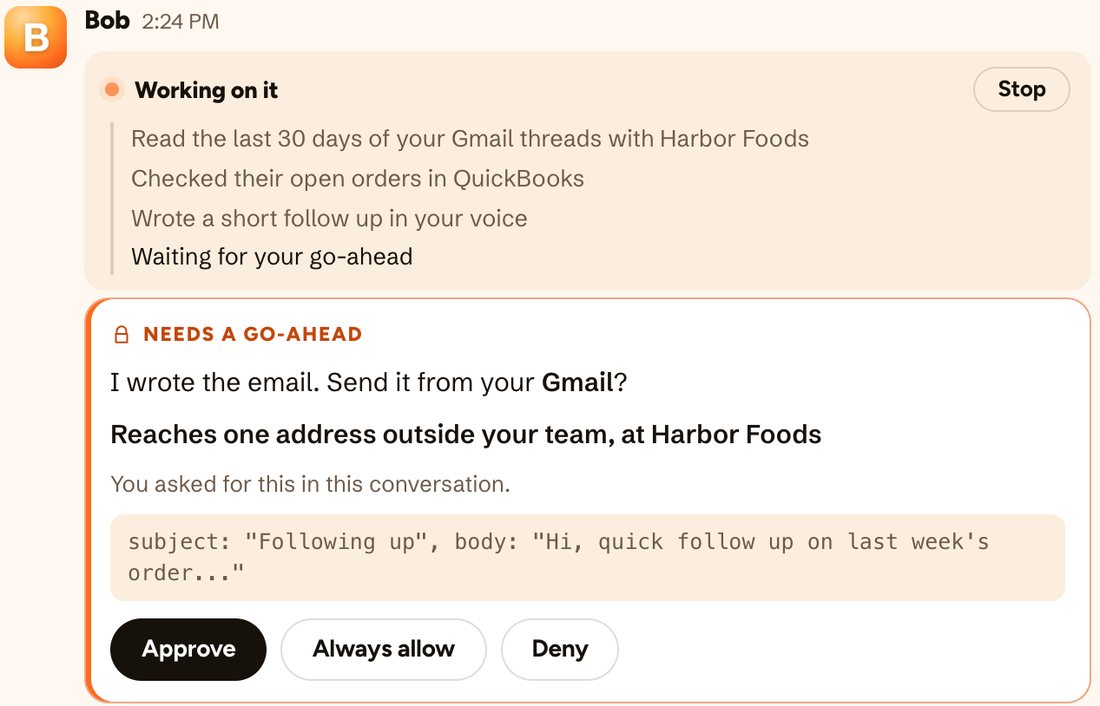
The email is ready
He did the legwork. You say send.
One price for the whole team. Both products.
No seats to count. Your workspace draws from one pool of credits, and every finished job tells you what it cost. Half price on every plan through Dec 31, 2026.
Bob pays for the AI. You pick the volume.
Half price through Dec 31, 2026, then $75 a month.
Roughly 200 to 290 questions a month at a typical size.
- The AI employee and the meeting app
- Unused credits roll over one month
- Top-ups: $40 for 20,000 credits, never expire
- Pay yearly and get two months free
Use your own AI account. Pay us one flat price.
Half price through Dec 31, 2026, then $349 a month.
Plug in your Anthropic and OpenAI keys. The AI bill goes straight to them at your rates, with no markup from us.
- 1,000,000 credits a month included
- Each person starts with a 200,000-credit monthly cap
- Top-ups: $75 for 200,000 credits
- Every feature, same as Flex
Your volume, your paperwork.
Everything in Bring your own keys, at a volume and a rate we agree on.
- Custom volume and rate
- Security review, DPA, invoicing
- A named person to call, not a support form
- $100 of work free for 14 days
- Hard monthly spending cap
- Free redo if he gets a job wrong
- No per-seat fees
- Never trains on your data
What people actually ask.
What is Bob, exactly?
An AI employee who works in the HeyBob app or in Slack. He has his own secure computer in the cloud, signs into the tools you connect, and does the work. Then he reports back with the result and what it cost.
Does a bot join my calls?
No. The HeyBob app on Mac and Windows takes the notes from your computer, so nobody sees a bot in the call. When it ends, you get the notes and your to-dos, and Bob can do the follow-ups.
Do we need Slack?
No. Download the HeyBob app for Mac, Windows or Linux and your team gets a DM with Bob, team channels, and the same approvals and receipts. iPhone and Android are on the way.
Will he change things without asking?
No. Anything that changes data in your tools waits for someone to tap Approve. You decide which actions, if any, are automatic.
What if he gets something wrong?
He can, like any AI. Check his work before you rely on it. If a job comes back wrong, you can have him redo it once for free, up to 5 redos per workspace a month.
What does it cost after the free $100?
$75 a month for the whole workspace, which buys 40,000 credits. New plans are half price, $37.50 a month, through December 31, 2026. You set a monthly cap and he stops at it. Unused credits roll over one month.
Does he learn how we work?
Yes. He remembers your team's terms and decisions, and how each person likes their summaries. You can see and edit what he remembers. It is never used to train anyone else's AI.
Hand Bob a job. Bring him to a meeting.
$100 of work, on us. Set up in 2 minutes.
Screens are the real HeyBob app, shown with made-up demo data.